
Version 3.0 marks a significant milestone in the growth of Block Accessibility Checks since its creation just a short 18 months ago. We have completely overhauled the plugin’s architecture to make it more robust, performant, and developer-friendly.
This release introduces a refined Validation API, a semantic overhaul of the settings pages, and granular controls for the Site Editor. Whether you are a content creator or a developer extending the plugin, 3.0 provides a smoother, more integrated experience.
Here is everything you need to know about the update.
⚠️ Important for Developers: Breaking Changes
If you have written custom extensions for Block Accessibility Checks, you may need to update your code.
To improve clarity and consistency in our API, we have renamed the method used to register block validations. The old method register_check_with_plugin_detection has been deprecated and replaced with register_block_check.
Migration Example
Before (Deprecated):
$registry->register_check_with_plugin_detection( 'my-plugin/block', 'check_name', $args );After (v3.0):
$registry->register_block_check( 'my-plugin/block', 'check_name', $args );This change ensures that our naming conventions better reflect the method’s purpose. Please verify your custom integrations after updating.
The Three Pillars of Validation
Version 3.0 solidifies the plugin’s “Three-Tier Validation System.” We don’t just check blocks; we ensure the integrity of the entire document.
- Block Validation: The core of the plugin. This validates individual attributes within a block (e.g., ensuring an Image block has Alt Text or a Button block has a valid link).
- Post Meta Validation: Ensures that custom fields and meta data attached to the post meet your specific requirements before publishing.
- Editor Validation: Checks the document structure as a whole. This includes high-level concerns like Heading Hierarchy (preventing skipped levels) and ensuring a proper Post Title exists.
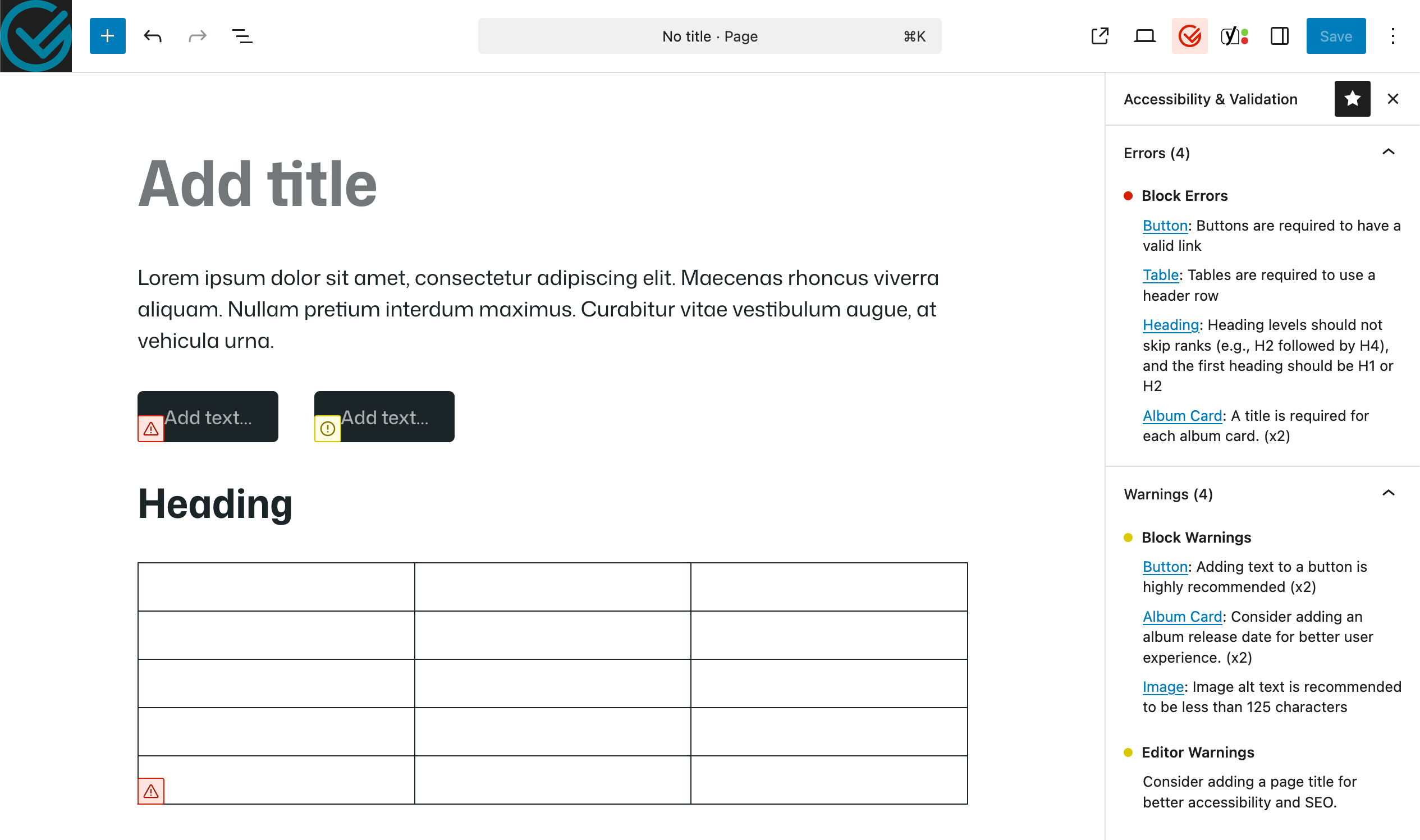
By decoupling these three logic streams, we can provide more accurate errors and warnings in the sidebar. Speaking of the sidebar, we’ve improved the UX there as well:
- Occurrence Counts: If you have the same error multiple times (e.g., 3 images missing alt text), the sidebar now groups them with a counter (e.g., “x3”).
- Unified Warnings: Warnings now display alongside errors rather than being hidden, giving you a complete picture of the page’s health.
Understanding Validation Contexts
One of the most complex challenges in integrating block validation for block themes is that “editing” happens in multiple places. In 3.0, we have refined how validation behaves across the three distinct editing contexts:
1. The Content Editor (Default View)
This is the default experience for most post authors. You are editing the content of the post, and the Block Theme template is hidden. Validation here is strict and focused entirely on the content you are currently writing.
2. The Content Editor (Template View)
When you toggle the view to show the surrounding page template (header, footer, sidebar) while editing a post, the technical environment changes.
Previously, this could confuse validation scripts. We have updated the logic to differentiate between the content you are editing and the template surrounding it, ensuring you only get errors for the content you are actually responsible for at that moment.
3. The Site Editor
This is where you build the templates themselves (Appearance → Editor). In this context, your goal is often structural design rather than final content creation.
Because you are building the “skeleton” of the site, strict content validation can sometimes be noisy or irrelevant. This brings us to our newest feature: Site Editor Controls.
New Feature: Site Editor Toggle
We have added a dedicated column to the settings page for the Site Editor. This allows you to disable specific validation checks when you are working in the Site Editor, without turning them off for your content authors in the Post Editor.
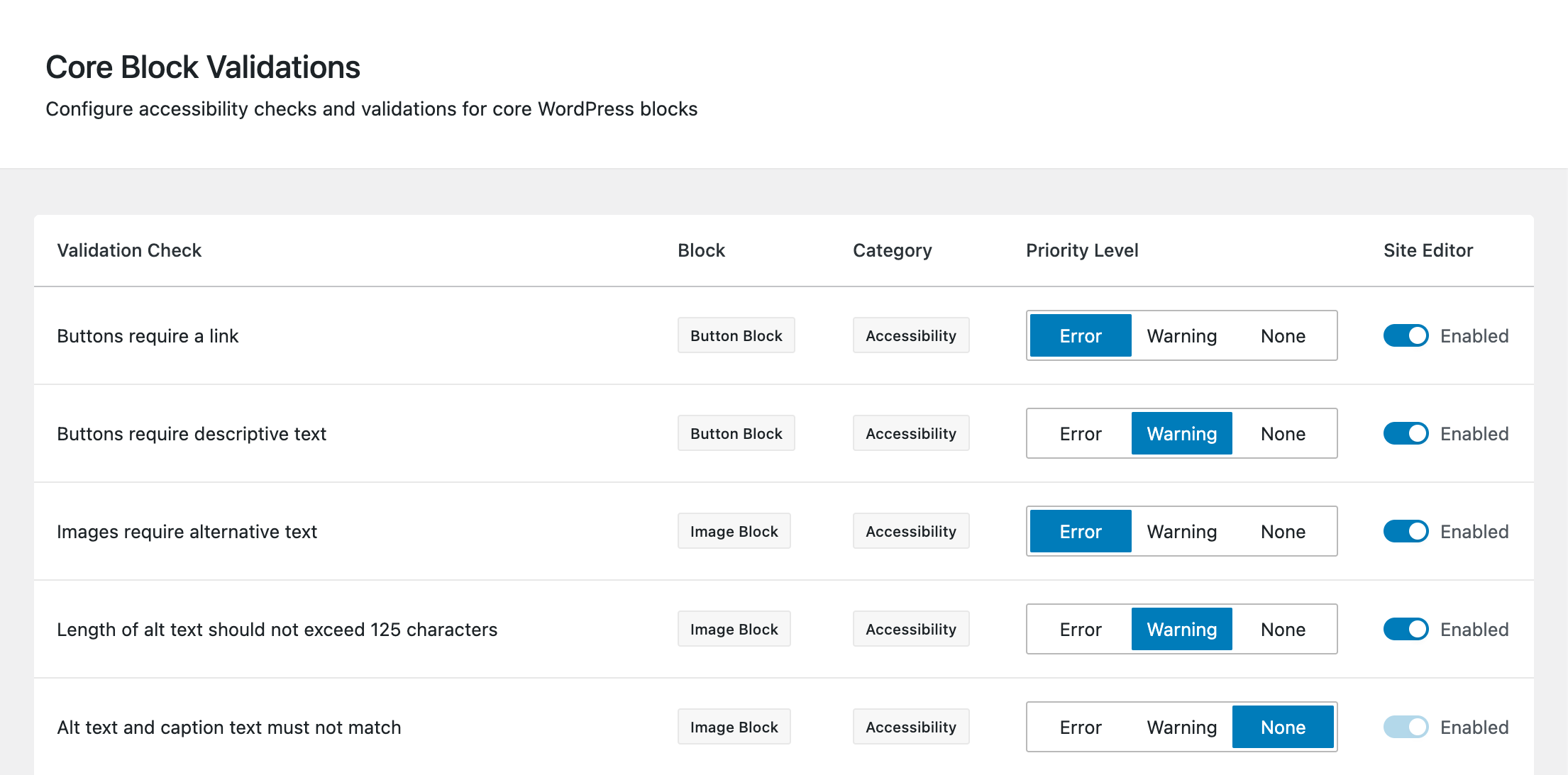
Why is this useful? You might want to enforce strict “Link Text” validation for your blog posts to ensure accessibility. However, when you are building a Header template in the Site Editor and using temporary placeholder links, that validation might block your workflow. You can now disable that specific check for the Site Editor only, keeping your workflow fluid while maintaining strict standards for your actual content.
UI Overhaul: Semantic Settings Pages
We have completely rewritten the Settings Pages. We moved away from complex CSS Grid layouts to semantic HTML tables.
This might sound like an “under the hood” change, but it has real benefits:
- Accessibility: The settings pages themselves are now more accessible to screen readers, aligning with the mission of the plugin.
- Responsiveness: The tables now feature a “card view” layout on mobile devices, making it much easier to configure the plugin from a phone or tablet.
- Consistency: We’ve unified the styling across Core Blocks, External Plugins, Meta, and Editor settings.
Download Today
Version 3.0 is available now. Update today to experience the new interface and the refined validation controls!
Leave a Reply